 Works with Enfocus SwitchLaunch webinar
Vpress Flow into Enfocus Switch: the launch webinar, with transcript
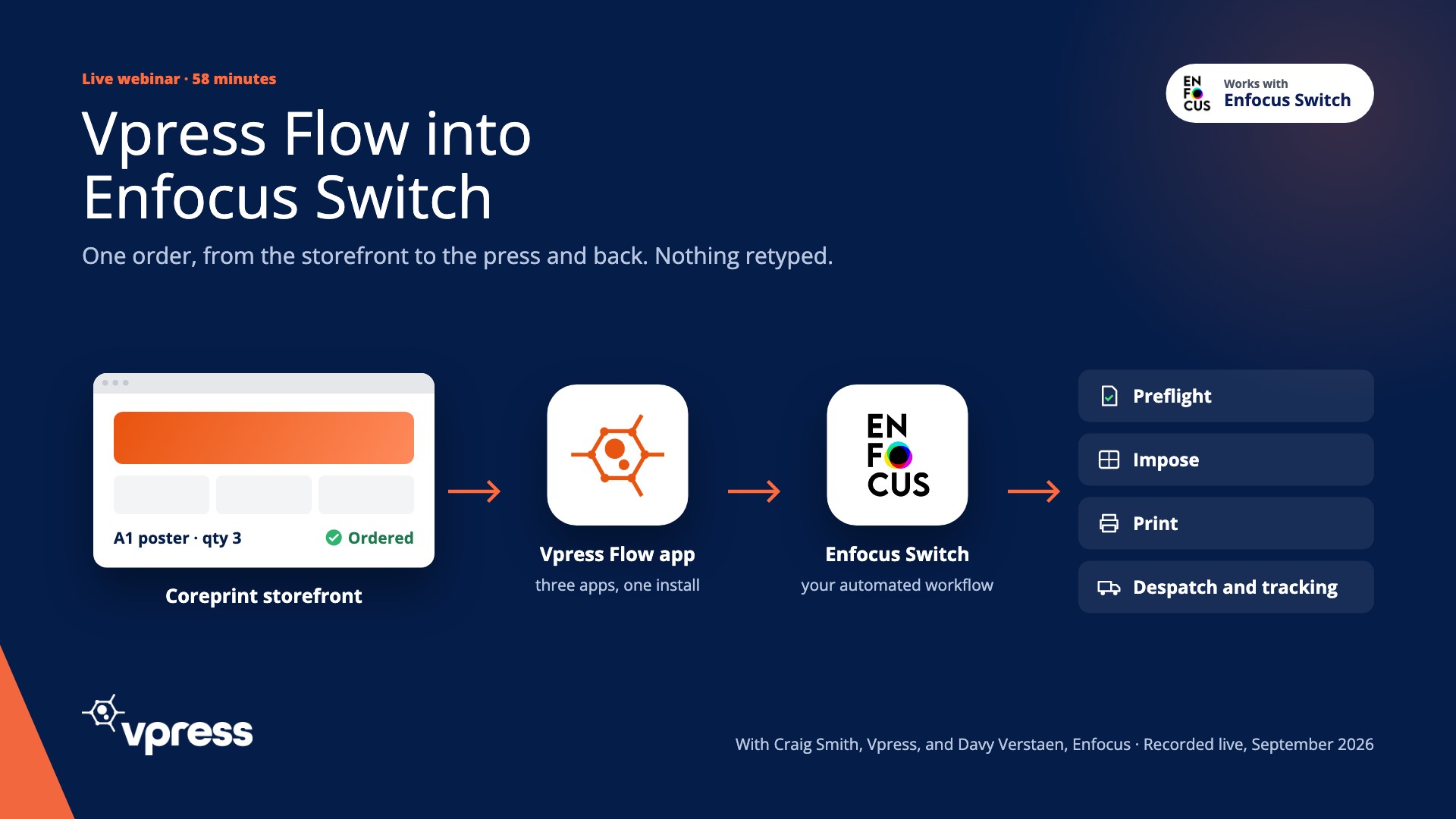
Recorded live in September 2026. Craig at Vpress places a real order in a Coreprint storefront. Davy at Enfocus shows what Switch does with it, from the moment it lands to the tracking link going back. Watch the hour, or read it in ten minutes.
- Recorded
- 2 September 2026, live, no pre-recordings
- Length
- 58 minutes
- Speakers
- Craig Smith, Vpress · Davy Verstaen, Enfocus · hosted by Kelvin Bell, Vpress
- Shown
- Coreprint, Vpress Flow, Switch, PitStop Server, Phoenix


The webinar in five points
- 1
Vpress Flow is three apps, not one: fetcher, SFTP connector, status updater.
- 2
The order is in Switch the moment it's confirmed. No polling.
- 3
The job carries its order data, so Switch can route, preflight and impose on what was sold.
- 4
A clean file goes straight to imposition. Only the ones that need a person stop at a checkpoint.
- 5
Status and a tracking link go back to the buyer's homepage, and the loop is complete.
Chapters
- 0:00Who Vpress is, and why automate
- 3:20Three apps, what each does
- 6:00Enfocus, Switch and the Appstore
- 13:40The storefront and the order
- 22:20The order arrives in Switch
- 27:40Shop names into production specs
- 33:50Preflight and the checkpoint
- 41:00Imposition and nesting
- 43:00Status and tracking back
- 48:00Questions from the room
Transcript
Cleaned from the live captions. Timestamps play the video from that moment. Hesitations removed, product names corrected, nothing added.
Who Vpress is, and why automate
KelvinWe own and develop our own technology. We don't resell someone else's platform. We've been going 25 years this year, and our motto is partnering our customers to success. Once you've bought web-to-print, we believe it will pay for itself.
CraigI'm Craig, product manager at Vpress. I came from the MIS market, which integrated with Vpress, and I've been in print virtually all my working life.
Three apps, what each does
CraigWe have an app called Vpress Flow, but it's actually a package of apps. When you install it in your Enfocus Switch you get three. The first one is the Order Data and Artwork Fetcher. We have an endpoint we send the order to, and that's in real time. There's no polling every ten minutes. As soon as an order goes through our system, we ping the app and tell it there's an order to grab.
CraigThe Vpress Flow SFTP Connector also goes straight away and grabs the artwork from a secure SFTP site. And the final app in the package is the Status Updater. As the order goes through your workflow, at certain points you can set it up to ping back and update us. That updates the buyer's homepage with the status of all their jobs, and a little van where they can click through to their tracking information. We've got plans for more, but those are the three.
CraigFrom Vpress Flow it can go into your MIS or ERP, through preflighting, into imposition, into production, and any updates come back. Why automate? A 24/7 ordering portal for all of your customers, fewer manual touch points, and a smarter way of working.
Enfocus, Switch and the Appstore
DavyI'm the Appstore and partner manager at Enfocus. PitStop is still a plugin for Acrobat Pro, so you can edit PDFs natively, and PitStop Server does the same preflight automatically. Phoenix is our imposition, and for wide format have a look at Griffin, our nesting engine.
DavyWhat is Switch? Some say a prepress workflow, some say an automation platform. A prepress workflow has its own imposition, RIP and colour engines. We have none of that, but we integrate with them. We're more like a middleware. Tools like Make or Zapier automate data. We automate files, in combination with data. Today, with a web-to-print system.
DavyIntegrators used to do custom development for every integration. That's why we launched the Enfocus Appstore. Vpress is one of our app creators. They've translated all the custom development a customer would need to integrate with Switch into the app. All that work is already done for you.
The storefront and the order
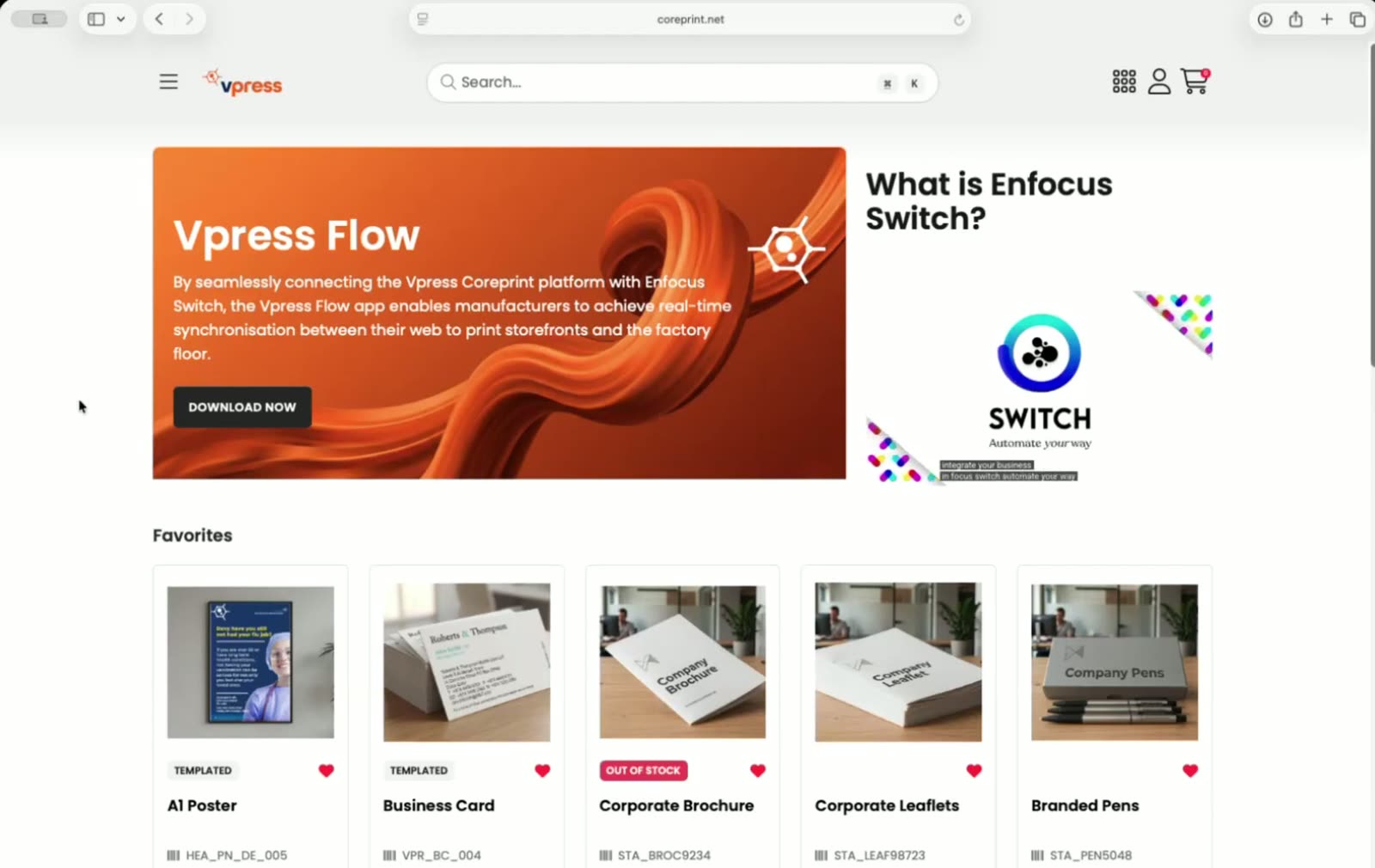
CraigThis is a Coreprint storefront. Favourite products, recently saved documents, and recently ordered, which we'll come back to, because this is more than just submitting an order into production and hands off. We've got the complete picture.
CraigKarl's poster is a Dynamic Editor product. I can move things on the canvas, pick a date, choose an image from the asset library, and it stays within the brand guidelines. A1, portrait, 12 millimetre Foamex, and I want three of these.
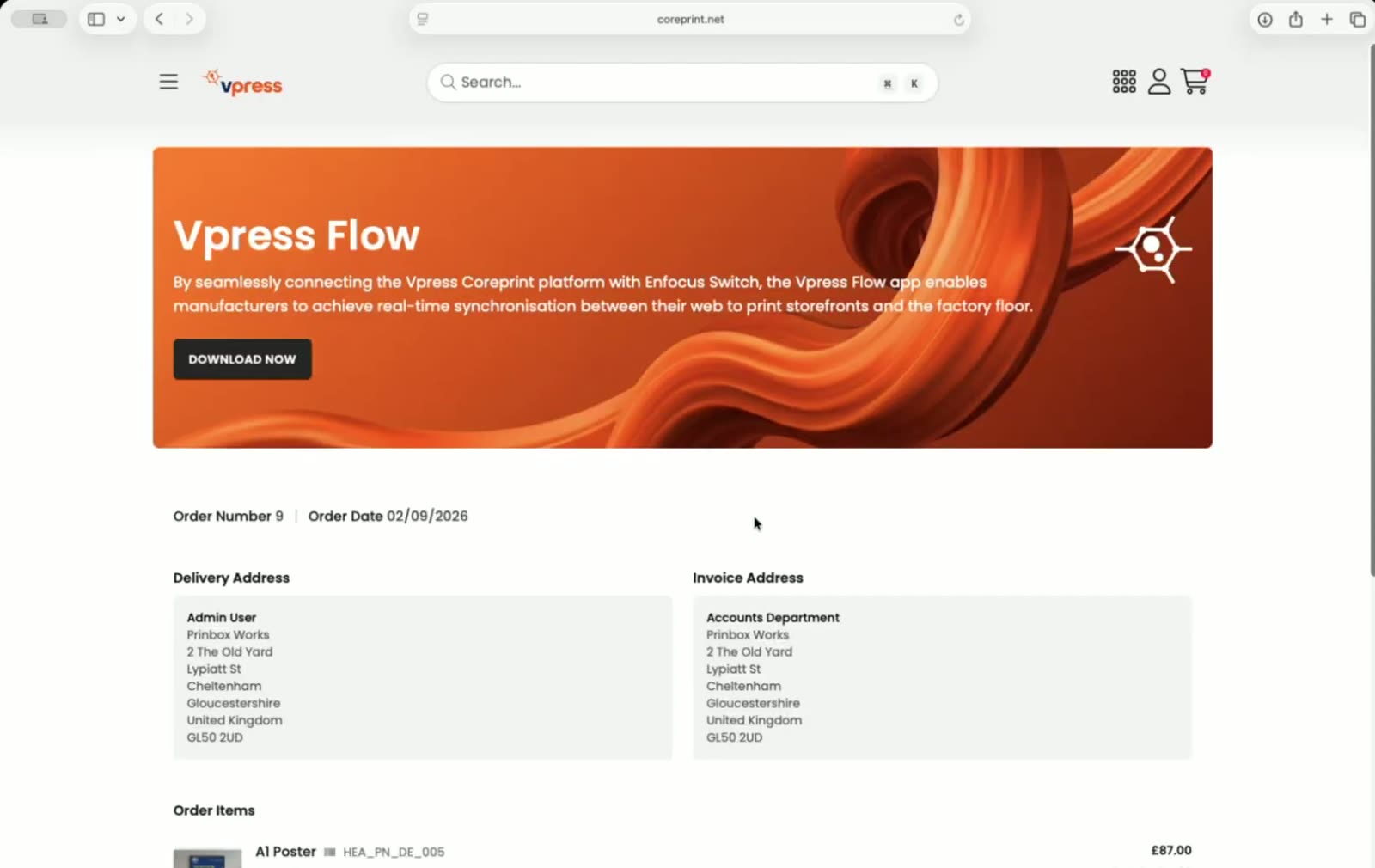
CraigWhether it's portrait, single or double sided, all that information, as well as what the user sees and the price updating, gets fired through to Switch. The other product is a traditional form fill: business cards.
The order arrives in Switch
CraigOrder placed.
DavyI already got it. It is instant.
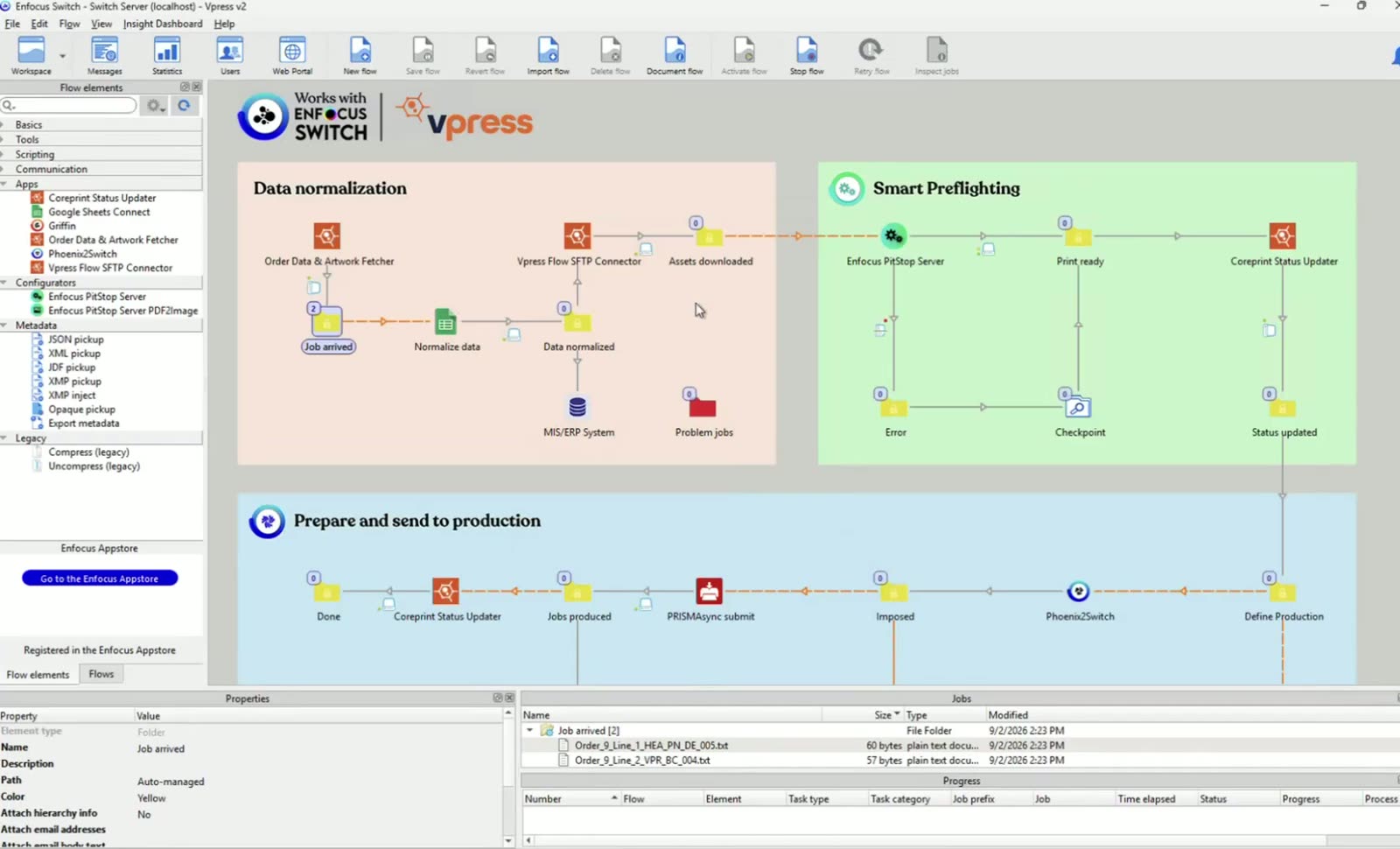
DavyHere it is in the flow. The Vpress Flow app takes the order, the SFTP connector has downloaded the artwork, and from here it's your workflow. In this example it goes to preflight, then imposition, then output, and the Status Updater at the points I choose.
DavySwitch automates files, but files connected to metadata. If I inspect this job there's a Coreprint order XML attached: the order ID, the order number, who the customer is, the order line, the product code, the quantity, and what the product is: portrait, A1, 12 millimetre Foamex. The artwork name as well.
Shop names into production specs
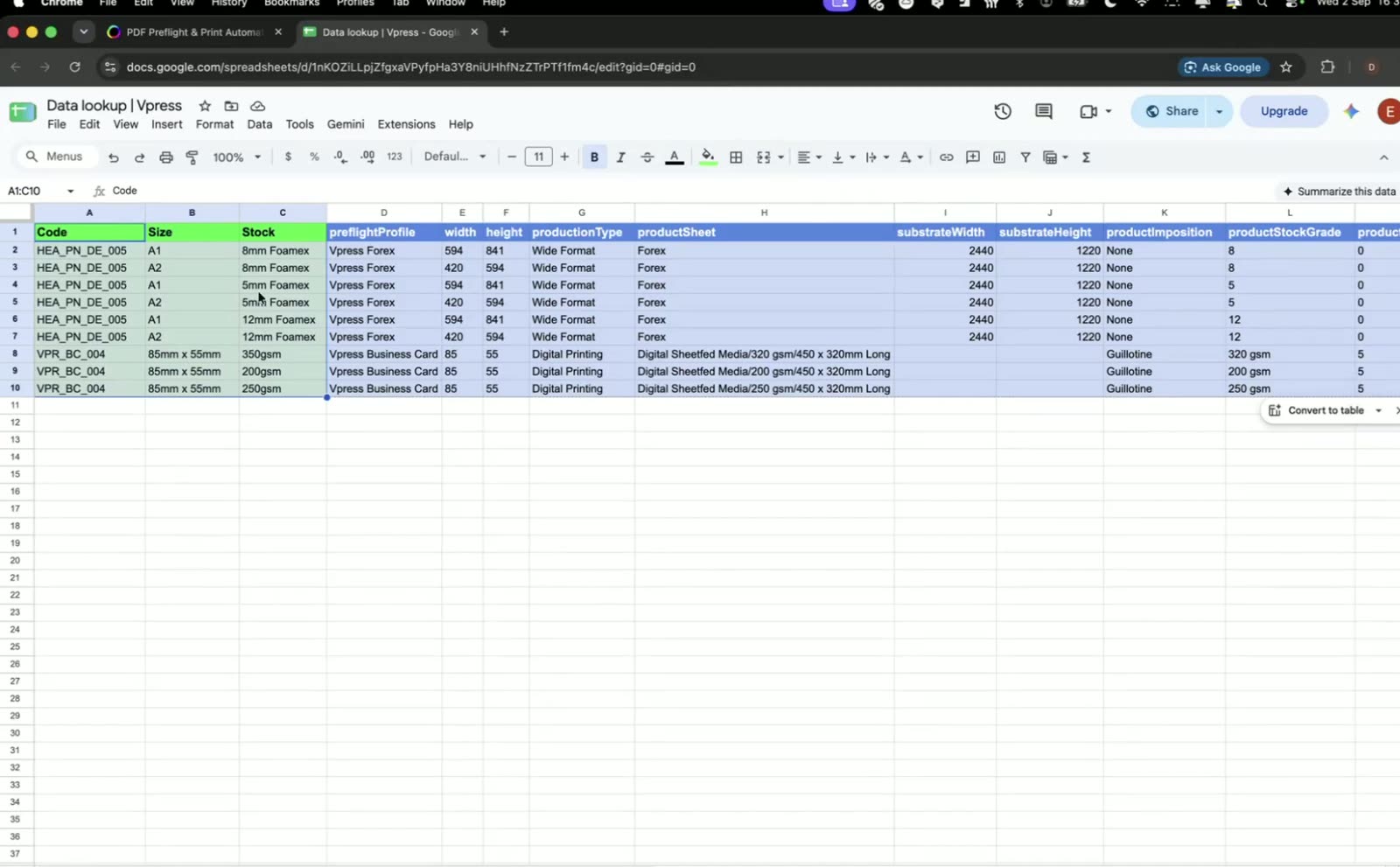
DavyThe storefront uses the customer's names for things. Production needs its own. So a lookup, here a simple Google sheet, maps the product and options from the order to the preflight profile, the sheet, the material and the imposition template. Stock, overrun, folding and binding can all be defined in the same table, for business cards and flyers as well as wide format.
DavyThe same data can go to your MIS. Switch has connectors for that, and the Vpress data is already there on the job.
Preflight and the checkpoint
DavyMore and more PDFs that customers upload originate from Canva, and they're not always print ready. We have a profile in PitStop Server called Fix my Canva that gets the file print ready and generates bleed. PitStop can't fix everything, so there's a checkpoint.
DavyThe checkpoint tells a prepress operator: sorry, I was not able to fix this file, can you have a look and talk to the customer. But ask yourself how many times you open a PDF and it's perfectly fine. If it's fine it should continue directly to imposition. As soon as you touch a file, that's costing you money. It's eating from your profit margin.
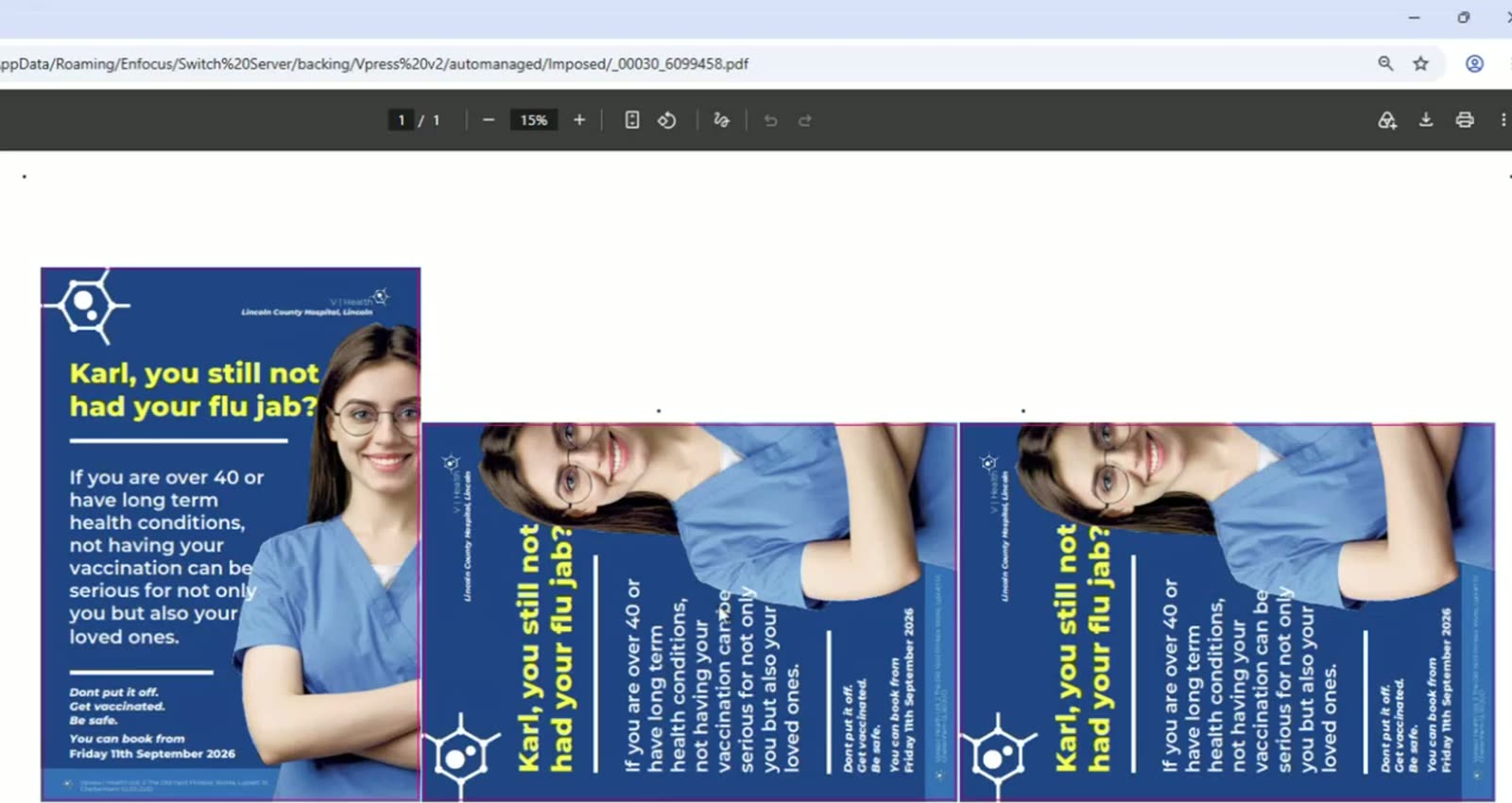
DavyBleed added, and the cut path created from the trim box. This is ready for production.
Imposition and nesting
DavyThe imposition template comes from the lookup, so the imposition engine adapts to the product that was sold. Everything defined as wide format goes one way, commercial print the other.
DavyThree posters nested on the sheet, with the camera marks the cutting machine needs. The business cards go to the Canon press through the PRISMAsync app, from the same flow.
Status and tracking back
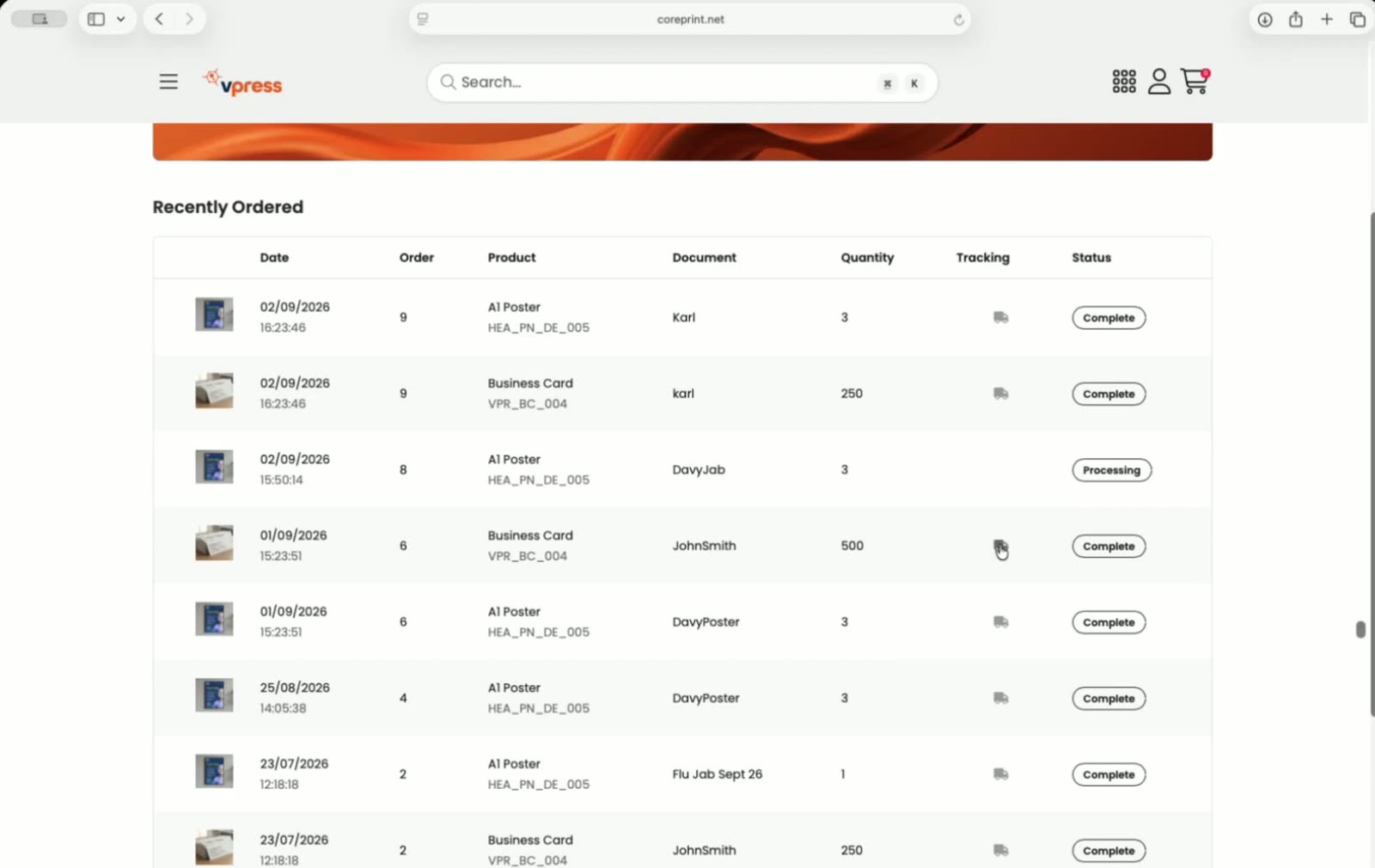
DavyAt each point I want, the Status Updater tells Coreprint where the job is. Here it's gone to processing, and at the end, complete.
DavyWith a shipping integration you get a tracking number and the label back. This simulates sharing that tracking URL with Vpress Flow. When I release the job it updates the status and shares the tracking link. If you want to archive it or update your MIS, you make it yours. It's as flexible as you want it to be.
CraigOn our homepage you can see your recently ordered jobs and what's happened to them. That completes the whole loop: sending from our system into Switch, and Switch letting us know the status. You can click on one of these little vans and it takes you through to the tracking. In this case it's on Google Maps, so you can see where the van is on its delivery.
Questions from the room
QuestionHow can the XML metadata export be set up or modified? Our current storefront is expensive and limiting.
CraigThe first app in the flow is an endpoint. We ping it an order ID and it uses one of our API calls to get all the job information. As we add more to Coreprint, it's added to the API calls, so the next order brings down more of the XML metadata.
QuestionHave you migrated data from another web-to-print store? And is there an app for Pace, or Fujifilm XMF?
CraigMost of our work now comes from migration of an existing web-to-print. Yes, you can take the product and customer information out and bring it across. We have advantages in flexibility, integration options and price.
DavyWe don't have the Pace integration on the Appstore yet. A lot of our Switch customers have done a custom one, and it's high on my list. Fujifilm XMF is fully JDF and JMF certified, so Switch integrates with it natively using the JDF and JMF connectors.
QuestionHow would it integrate with CI Monarch?
CraigWe have spoken to the team there. They have an API for deeper integration, and we're very open: we have an API to integrate into pretty much anything. Happy to have a chat.
QuestionHow long does the integration take with the app?
CraigI did a training video the other day and it lasted about three and a half minutes. As long as you've got your licensing right on the Enfocus side, and the credentials from our support team, you download it, put them in, and it's working.
Who was speaking


Eight years at Vpress, from the MIS side before that. Placed the order and showed the buyer's view.
 ENFOCUS
Took the order through the Switch flow live: lookup, preflight, imposition, status back.

Opened the session and ran the questions from the room.
Vpress Flow is free on the Enfocus Appstore
Switch 25.11 or later, Windows or Mac.
Open the AppstoreThe guide to Vpress Flow for Enfocus Switch
The three apps, what arrives, how it compares.
Read the guideBring an order to a demo
We'll follow it from your storefront into Switch and back.
Book a demoEnfocus, Enfocus Switch, PitStop and Phoenix are trademarks of Enfocus BV. Vpress Flow is made by Vpress.