13 October 2026
How to Set Up Branded Print Portals for Corporate Clients in Minutes, Without Custom Software
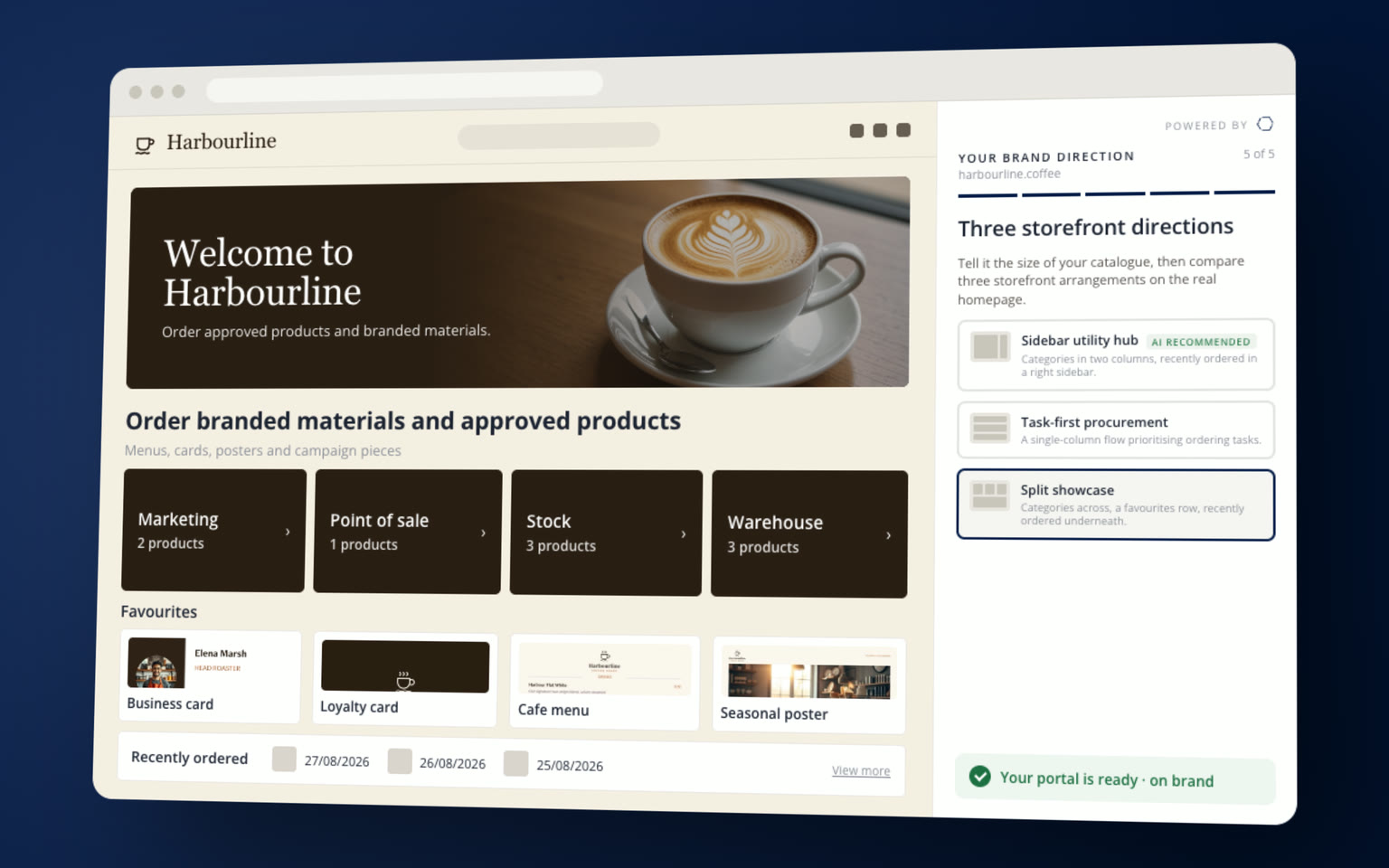
You don't need custom software to give a corporate client their own branded print portal, and you don't need weeks any more either. Give Brand Assist the client's web address and Coreprint styles a storefront in their brand in about sixty seconds. Under ten minutes later it's fully branded and live. We built storefronts like this in front of visitors across the three days of PRINTING United Expo 2026, and this guide walks through how it works.
If you're a print service provider, a print management company or a creative agency running print for corporate clients in the US or the UK, this is written for you. We've been in web-to-print for 25 years, and Coreprint serves 1,500 brands and 500,000 users in more than 175 countries, so what follows comes from a lot of client portals built the slow way, and now the fast way.
How do I set up branded print portals for corporate clients without building custom software?
Set them up in a hosted web-to-print platform such as Coreprint, which runs a separate branded storefront for every client. On Coreprint, Brand Assist builds the storefront from the client's web address. It reads their logo, colors, fonts, imagery and tone of voice, lays out a homepage for their market, and the storefront can be live and fully branded in under ten minutes. You then add the client's products, locked templates, users and approval rules on the same platform.Where corporate print deals stall
In my experience, corporate print deals stall in two places. The first is the pitch: you're trying to impress a big prospect with a generic demo that looks nothing like their business. The second comes after you've won them: weeks of onboarding, then round after round of feedback on how the site should look.
Both are fixable. If a client's brand already lives on their website, the system should be able to read it from there. That's the whole idea behind Brand Assist.
Why branded portals have taken so long to build
Until now you've had three ways to build a client portal, and every one of them costs you time.
Build-anything tools. Some web-to-print providers give you the tools to build any site you like. In practice that means a developer working in cumbersome software. The site takes a long time, costs a lot, goes through several rounds of sign-off, and can still look generic at the end.
Logo-and-color tools. Other systems are quick because they're limited. You swap the logo and the color, and every client gets the same site underneath.
Custom software. Build your own portal and you own every bug, every upgrade and every security review a corporate client asks for.
Coreprint has always taken a different route. Its what-you-see-is-what-you-get (WYSIWYG) tools let someone who isn't technical build a complete site quickly. Brand Assist goes a step further: it reads the client's brand from their web address and builds a storefront that matches their corporate website. Underneath, it's still a complete web-to-print portal, with locked templates, approvals, stock and ordering.
How Brand Assist builds a storefront from a web address
What is Brand Assist?
Brand Assist is the part of Vpress AI that builds a branded print storefront on Coreprint from a client's web address. It reads the client's logo, colors, fonts, imagery and tone of voice, suggests layouts for their market, and leaves every setting in the hands of an administrator. If you're on Coreprint, you can use it now.1. Start with a blank storefront and the client's web address
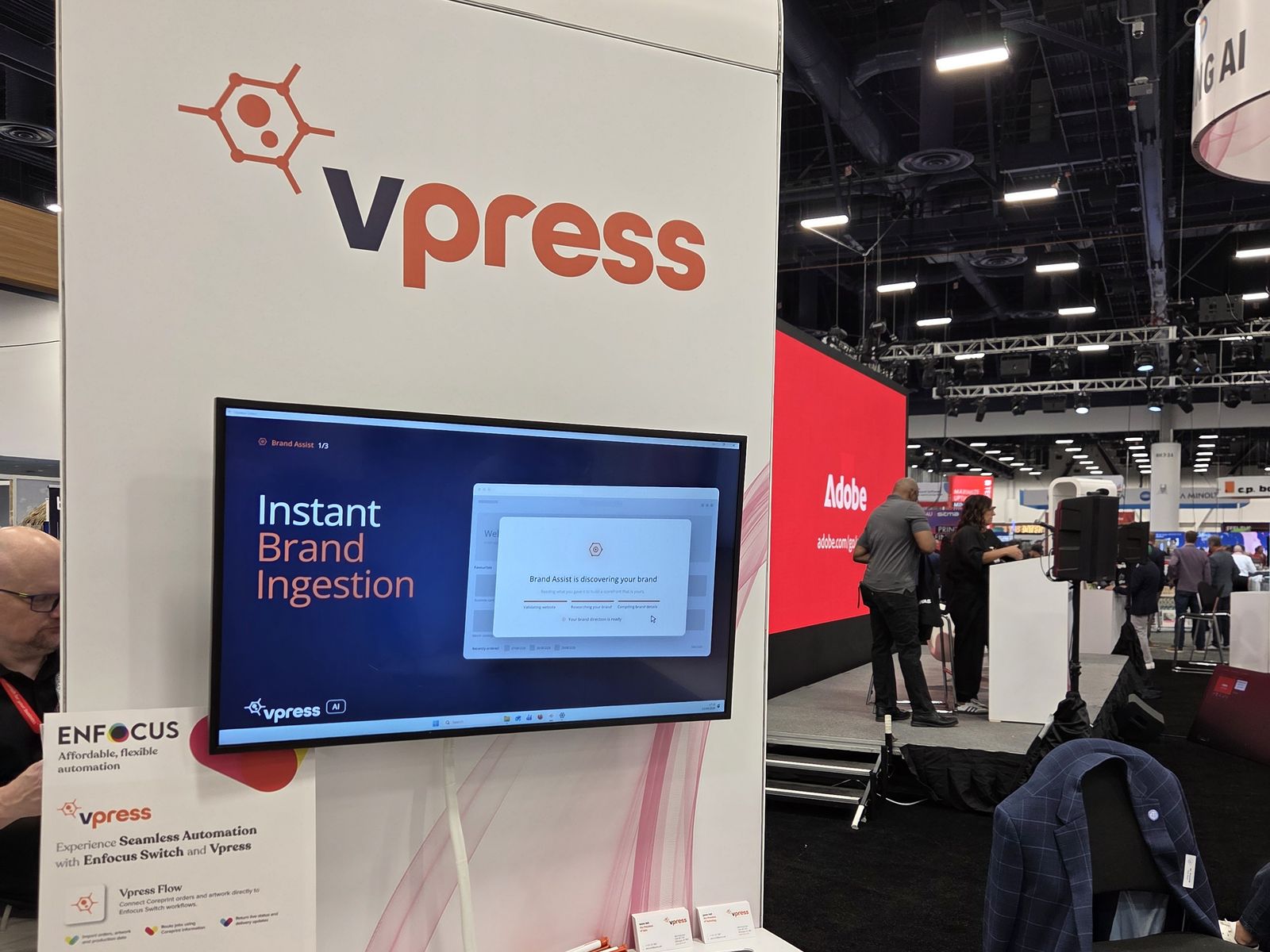
You start with a blank storefront on Coreprint and type in the client's web address. That's the whole input. On the Vpress pod at PRINTING United Expo 2026 you could watch each stage tick through on screen: validating the website, researching the brand and compiling the brand details.
2. It reads the whole brand, not just the logo
Brand Assist reads the client's whole online presence: logo, color palette, fonts, imagery and tone of voice. Not just the logo and a hex code. It captures the brand the way the client presents it to the world, which is the version their marketing director cares about.
3. It lays out a homepage for the client's market
Then it suggests storefront layouts for the client's industry and product catalog, and matches them to the client's website. A client that mostly orders digital items gets a different setup from one that orders a lot of print, and you pick the direction you like.
4. One click, and the storefront is live
Styling takes about sixty seconds. Within ten minutes the client has a fully branded, live storefront that looks like something you spent days crafting. That used to be weeks of a web developer's time. Now it fits inside the first meeting.
Two web addresses, two different storefronts
This is the part I'd want to be sure of if I were you. Brand Assist isn't filling in a fixed template. Give it the web address of a completely different business and you get a storefront with a completely different look and feel.
Two web addresses, two distinct storefronts, no manual design work. Each client's portal looks like their own business, because it's built from their own business.
People stay in charge: the Brand Management Hub
A corporate client will always want a person accountable for their brand, and so will you. So everything Brand Assist collects goes into the Brand Management Hub, where an administrator can check it, change it and build on it.
- Every brand detail is editable. Logos, colors, fonts, imagery and layouts can all be changed after Brand Assist has done its work.
- Tone of voice is a setting. Design Assist checks every document against the tone stored in the hub, so off-brand collateral is stopped before it reaches the ordering stage.
- Set once, used everywhere. The brand settings also govern the client's templates, so every template follows the brand.
- AI can be switched off. For clients who don't want AI in their supply chain, the Vpress AI kill switch turns off every AI module for one client in a single click and drops that client back to standard ordering, without breaking a template, catalog rule or production workflow.
That's the control a corporate marketing director wants to hear about before they sign anything. The AI does the legwork; their people keep the keys.
What Brand Assist does for a printer
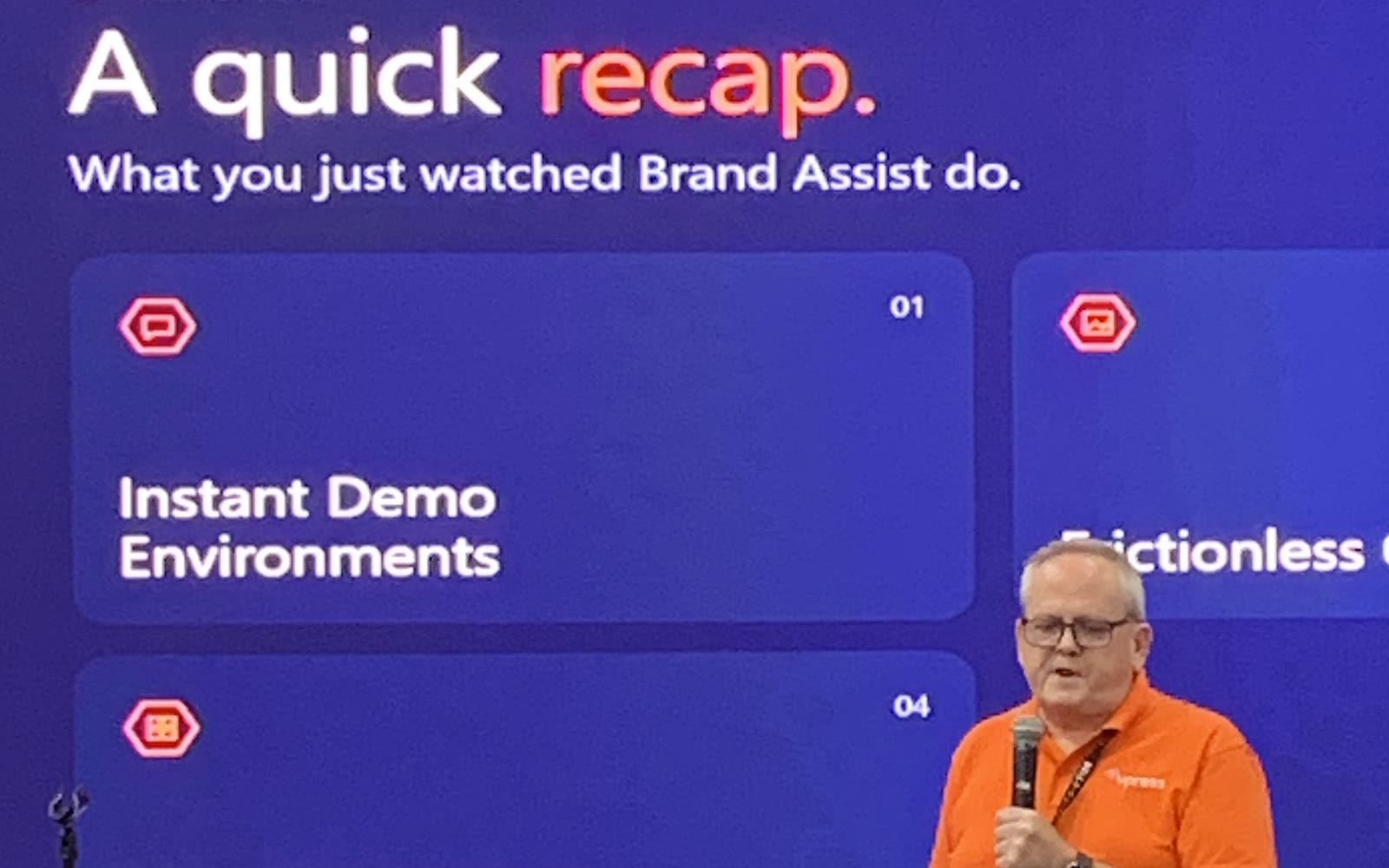
I ended my talk at PRINTING United on this slide, because it's the whole story in six lines. If you run print for corporate clients, here's what you get, from the first sales meeting to the day a new client places their first order.
| What you get | What it means for you |
|---|---|
| Instant demo environments | Build a portal for a prospect before your first sales meeting and show them their own storefront. You can compete for enterprise tenders from day one, and portal setup becomes a sales tool instead of a cost. |
| Faster onboarding | The six-to-eight-week onboarding lag comes down to an afternoon, so billable print reaches your presses sooner. |
| Brand ingestion | Logos, palettes, typography and imagery rules come straight from the client's live website. |
| Layouts that fit | Layouts are suggested for the client's industry and product catalog, with no rigid one-size-fits-all template. |
| On-brand copy | The client's tone of voice feeds their templates, so off-brand collateral is stopped before anyone orders it. |
| Human control | Administrators keep full control of every setting in the Brand Management Hub. |
One platform, a portal for every client
Here's the part that makes this scale. Coreprint runs unlimited branded storefronts on one platform, so every corporate client gets their own personalized, secure ordering portal, and you don't need new software for each one.
Each portal can have its own web address, logos, color palette and custom panels. That's how print management companies and agencies run many clients and job types from one place. Agencies can also white-label Coreprint, so the portal looks like part of their own service.
Can one platform host portals for many different corporate clients?
Yes. Coreprint runs unlimited branded storefronts, so you can give each corporate client their own personalized, secure ordering portal from the same platform. Brand Assist styles each new storefront from that client's own web address.Finishing the portal after Brand Assist
Brand Assist gives you the branded storefront. The rest of the portal you set up on the same platform, the same way for every client, so it gets quicker each time.
- Logins and permissions. Set up users and user groups that decide who can view, order or approve each item. Coreprint has Single Sign-On (SSO) capabilities, so staff can sign in with the work account they already use.
- Products and stock. Publish only the print products and stock items this client can order. For anything else, the RFQ (Request For Quote) module lets the client upload a requirement and get a quote back.
- Locked templates. The Dynamic Editor creates templates with editable fields, so staff personalize documents and stay on brand. Variable data printing handles personalization at volume.
- Brand assets. The Digital Asset Manager keeps approved logos, images and files in one place, so nobody orders with an old logo.
- Approvals and budgets. Set multi-tier approval where the client needs it, and track print spend by department, project and cost center.
- Connections to production and purchasing. Our team connects Coreprint to your MIS, ERP and production workflow through our integration service. We connect it to the client's procurement system, such as SAP Ariba or Coupa, through PunchOut and cXML.
- Training and support. Your Vpress account manager arranges training and can join client meetings to help you onboard them.
You're not on your own with any of this. Summit Creative, a UK creative agency, runs a Coreprint storefront for its own customers, and here is what Tina Brown, their Director, said about her account manager:
One of the most important things Vpress offers. They know our account and how we work.
How long it takes
How long does it take to set up a web-to-print storefront?
On Coreprint from Vpress, Brand Assist styles a corporate client's storefront from their web address in about sixty seconds, and a fully branded storefront can be live in under ten minutes. You then add the client's products, locked templates, users and approval rules on the same platform, and the Vpress team helps you do it.What portals do for printers
Bigger accounts. Modern Litho in Missouri has brought some of its largest accounts onto Coreprint. Jim Tomblinson, their Chief Operating Officer, puts it like this: "Together, we successfully onboarded two of our largest online ordering and fulfillment companies." Read the Modern Litho story.
Storefronts you can charge for. B&B Press, a UK printer, started by building client sites for free and now sells them as a service. Dave, their Sales and Marketing Director, puts it plainly: "We built a lot of customers sites for free with their support, which is now something we can charge for." Read the B&B Press story.
Bigger tenders. Once DCS and KNP in the UK had chosen their web-to-print provider, they could go after tenders for larger companies. Read the DCS and KNP story.
Print that stays on brand. One of the first clients DCS and KNP brought onto Coreprint was a dessert restaurant franchise with over 50 locations. Until then, the franchise owners had been making their own flyers in Microsoft Word. Coreprint took control of the orders and the costs for every franchise.
See it with a client you want to win
We showed Brand Assist in the PRINTING AI Pavilion, booth N6531, at PRINTING United Expo 2026 in Las Vegas, and the event page has the recap if you missed it.
If you run print for corporate clients, book a demo and bring the web address of a client you want to win. We'll build their storefront in front of you on Coreprint, and you can decide for yourself whether ten minutes really is ten minutes.
Reviewed by James Hall.
Bring Us a Client's Website
Book a demo and watch Brand Assist build a storefront from the web address of a client you want to win, then see the rest of the portal come together on Coreprint.
Frequently Asked Questions
Is there AI that builds a print portal from a company website?
Yes. Brand Assist, part of Vpress AI, builds a branded print storefront on Coreprint from a company's web address. It reads the logo, colors, fonts, imagery and tone of voice, suggests homepage layouts for the client's market, and keeps every setting editable by an administrator in the Brand Management Hub.
What is a branded print portal?
A branded print portal is a private online store in a corporate client's own brand, where their approved staff order print and stock items from locked templates, inside the client's own approval and budget rules.
Can staff log in with their normal work accounts?
Yes. Coreprint has Single Sign-On (SSO) capabilities, so a client's staff can sign in to their print portal with the account they already use. The Vpress team sets this up with the client's IT team.
Can a print portal connect to the client's purchasing system?
Yes. Coreprint connects to corporate procurement systems such as SAP Ariba and Coupa through PunchOut and cXML, so orders and approvals flow between the portal and the client's purchasing system. See PunchOut and cXML integration.
Quick links: How to Set Up Branded Print Portals for Corporate Clients in Minutes, Without Custom Software
Table of contents
Share this article